V1.21 Approvals
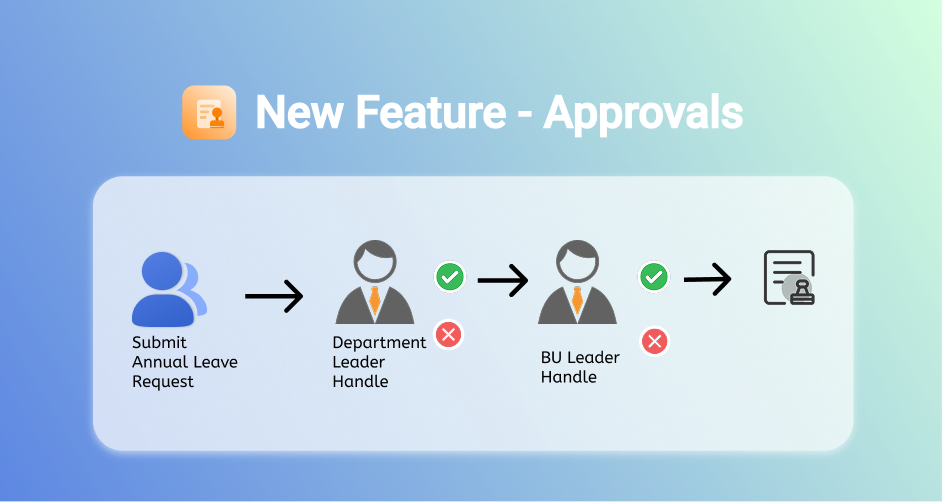 Dear users,
We’ve just launched our very first version of Approvals. 🚀
You can check the new feature on your laptop 💻 or mobile 📱.
In the future, we will proceed our best to enhance this, and let efficiency soar.
Dear users,
We’ve just launched our very first version of Approvals. 🚀
You can check the new feature on your laptop 💻 or mobile 📱.
In the future, we will proceed our best to enhance this, and let efficiency soar.
2 Scenario samples to watch how Efficiency Soar👇
✨ Scenario 1: 5-Minute Cross-Department Emergency Approval
🧑💼Marketing Joanne needs urgent approval for promo gifts! ➔ She opens the app, creates a General Approval, drags-and-adds approvers: Manager → Procurement → Finance ➔ Uploads quotes + product photos, tags everyone with “URGENT!!” ➔ All approvals greenlit in 1 hour. Shares order confirmation in chat: 👌Done!
✨ Scenario 2: Copy-Paste Last Week’s Approval in 1 Tap
🧑💼HR Leo handles 10+ onboarding device requests monthly… ➔ Finds last week’s approval → clicks Copy Template → updates new hire’s name/device list ➔ Auto-applies the preset IT → Admin approval chain ➔ Adds a comment: “8th new hire kit, same as usual~” ✅
Quick Start Guide
❶ For Submitters
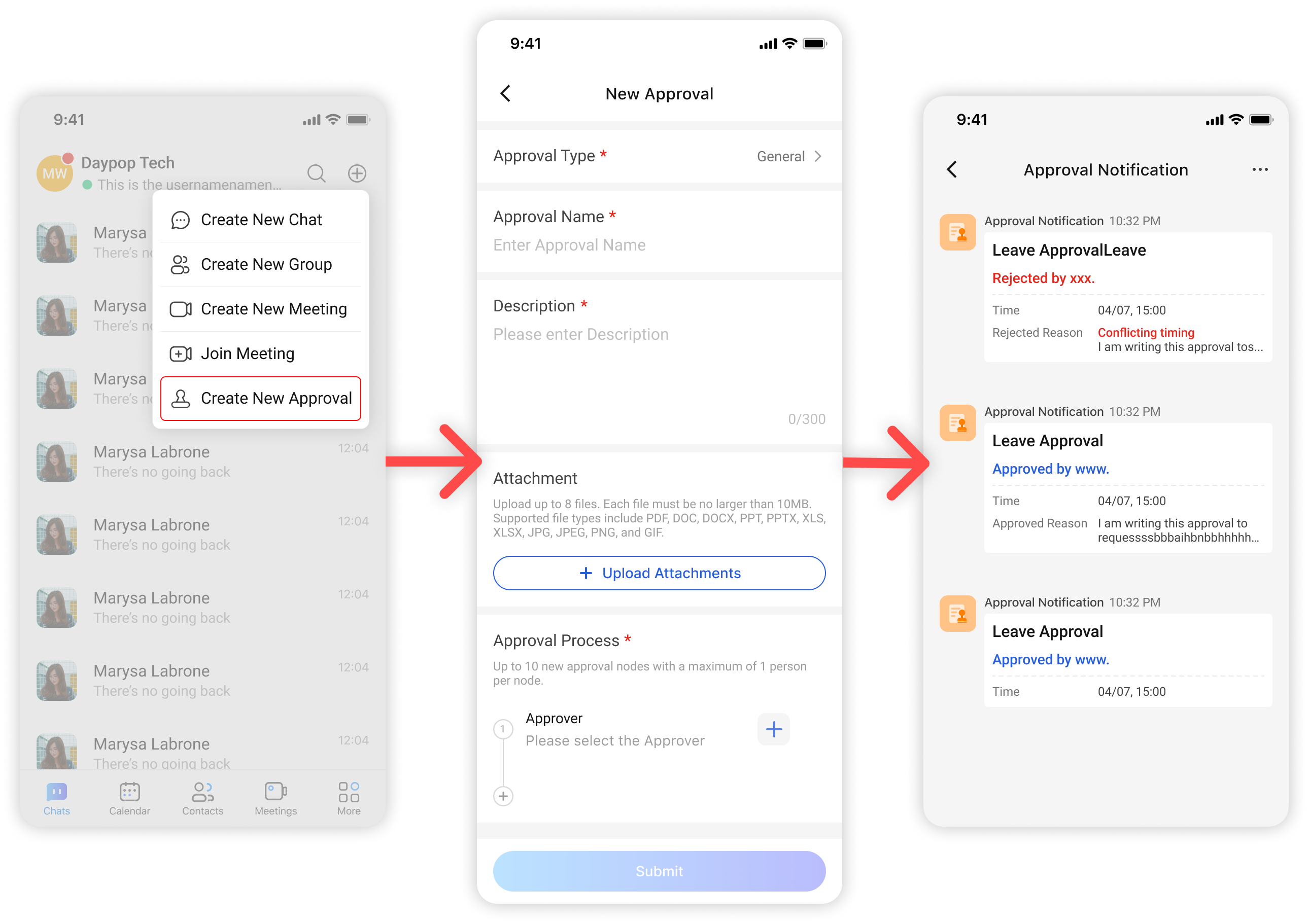 🔸 STEP1 Fill in details: Tap + on homepage → describe purpose
🔸 STEP2 Attach files: Drag contracts/images to the upload zone
🔸 STEP3 Set workflow: Select approvers from contacts or assign roles (e.g., “Department Head”)
🔸 STEP4 Track progress:
🔸 STEP1 Fill in details: Tap + on homepage → describe purpose
🔸 STEP2 Attach files: Drag contracts/images to the upload zone
🔸 STEP3 Set workflow: Select approvers from contacts or assign roles (e.g., “Department Head”)
🔸 STEP4 Track progress:
- Check More → Approvals to check real-time updates
- Check Approval Notification to see if there is any update notifications
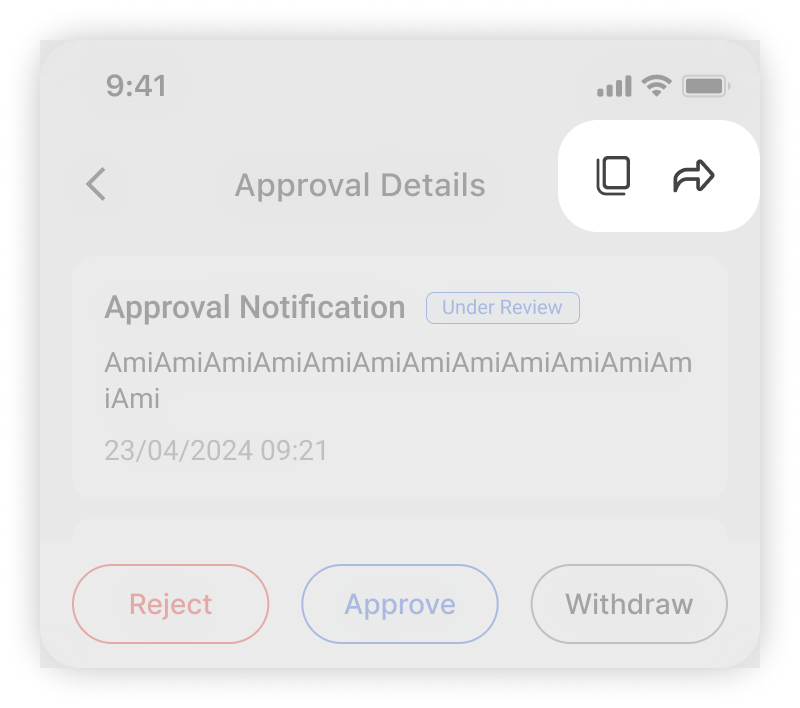
In approval details page, you can
🎁 Clicks Copy → to initial an approval from history
🎁 Click Forward → to forward the approval to chat to remind the approver to review it.
❷ For Approvers
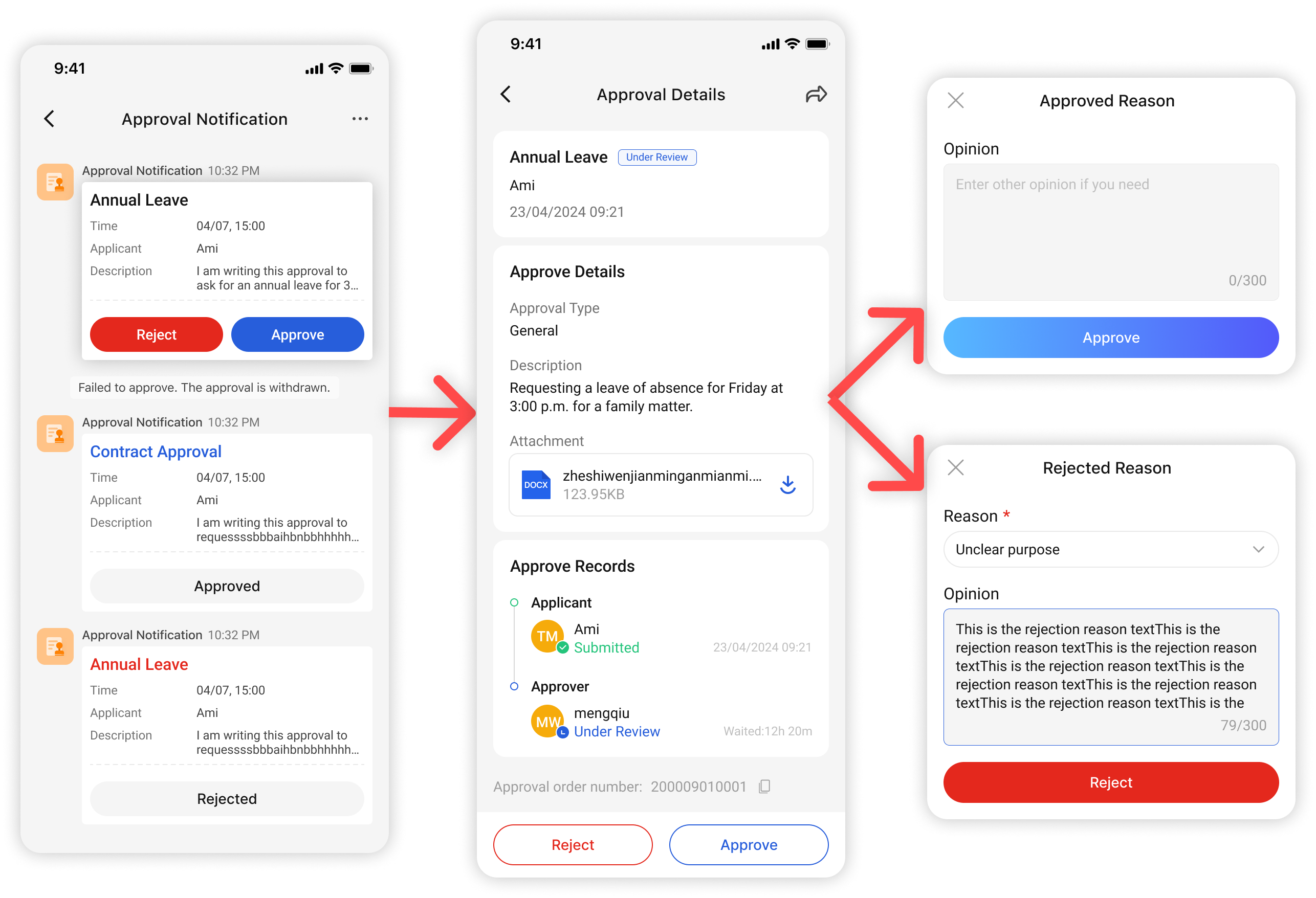 🔸 STEP 1 Get notified of new approval
🔸 STEP 2 Tap notifications → open approval : or you may go to More -> Approval -> Todo, to check the pending approvals
🔸 STEP 3 Preview attachments: preview all the details and check the attachments
🔸 STEP 4 ✔/✖ with comments
🔸 STEP 1 Get notified of new approval
🔸 STEP 2 Tap notifications → open approval : or you may go to More -> Approval -> Todo, to check the pending approvals
🔸 STEP 3 Preview attachments: preview all the details and check the attachments
🔸 STEP 4 ✔/✖ with comments
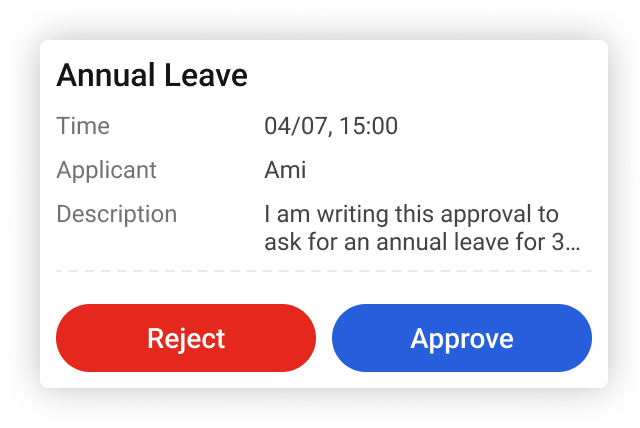 ‼️Urgent? For a Quick Action shortcut, you can ✔/✖ directly from the Approval Notification Channel!
Coming Soon: Smarter Approvals, Less Hassle
In the future, we will continue to work hard to further strengthen this function and ultimately achieve our mission of empowering enterprises.
These are the features planning:
⏩ Template Library
Approval has preset templates of general types, and will continue to expand Approval templates for more scenarios in the future to meet the daily approval needs of enterprises.
e.g. Select Travel Reimbursement → auto-triggers Manager → Finance → CEO three-level flow
⏩ Analytics Dashboard
- View enterprise space approval orders in the background
- Track the 5 departments with the slowest procurement approval → Improve efficiency
- Analyze rejection rate by category → Fix workflow bottlenecks
Try Now: Home → Workspace → Approval Hub. Race to Approval Glory! (Psst: Submit your first approvals to unlock Speed Boost effects 🎉)